WooCommerce Maesh Plugin
caution
Maesh is currently only available in Singapore for payments in SGD.
Learn how to integrate the Maesh plugin for the WordPress/WooCommerce e-commerce platform. Let your customers checkout using PayNow in your WooCommerce online store. No setup fees, no monthly fees. Start accepting PayNow payments in minutes with Maesh.
1. Prerequisites
- Live WooCommerce store
- Access to the Admin Panel of the Wordpress site running your WooCommerce Store
- A valid UEN tied to your business
- A bank account to send the payments to
2. Installing the Plugin
Download the Maesh WooCommerce plugin here.
Login to your Wordpress dashboard.
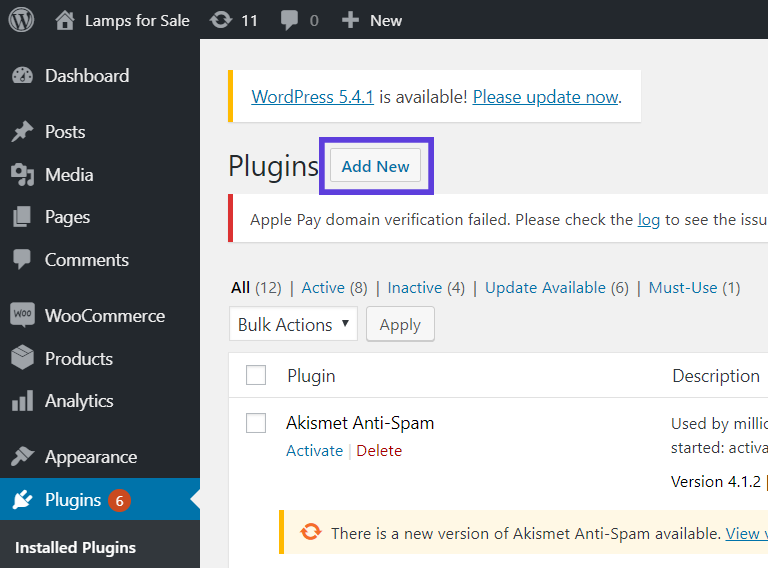
Navigate to your plugins page and click add new.
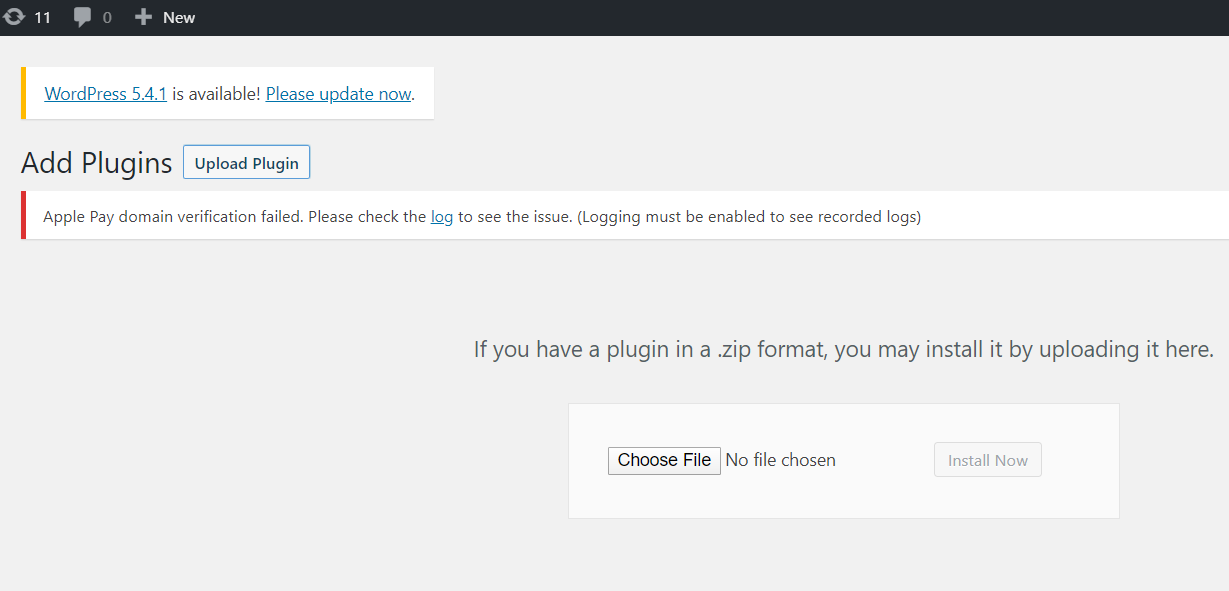
Upload the Maesh WooCommerce plugin to your site. No need to unzip - Wordpress can handle the plugin in the same format as you've downloaded it.
3. Configuring the Plugin
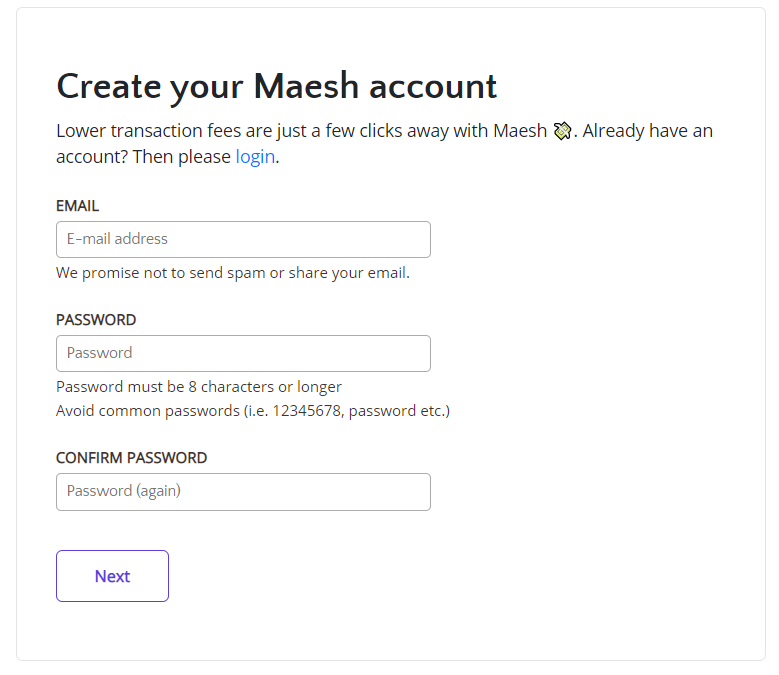
Create a maesh.io account. You can sign up for it in the dashboard here . Or if you already have an account, you can log in here
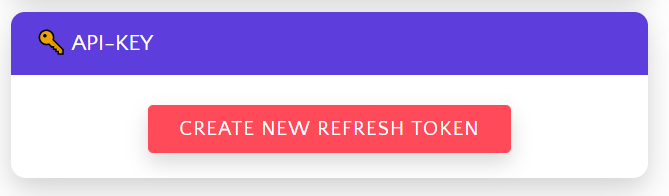
Generate an API key in the settings tab of the Maesh dashboard.
Back on your Wordpress admin, navigate to the settings page under the WooCommerce tab in your Wordpress dashboard.
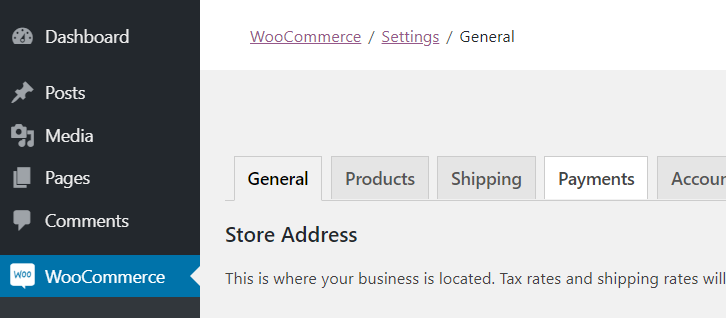
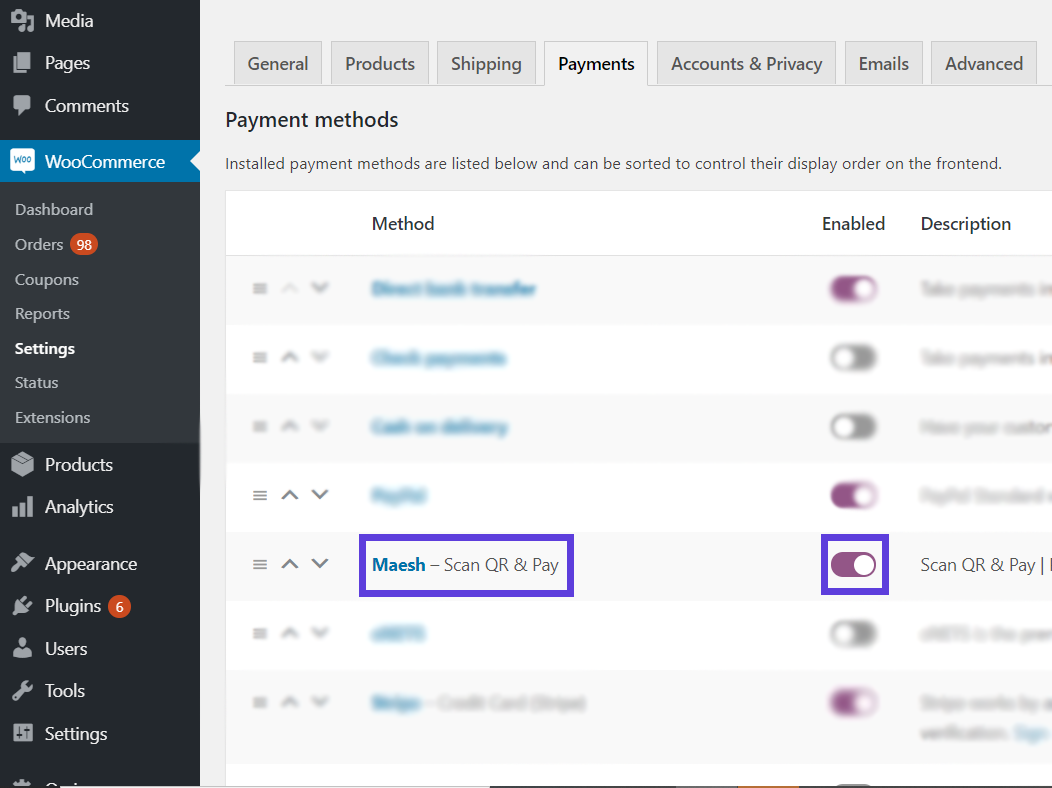
Navigate to the Maesh plugin within your payments tab in the WooCommerce settings.
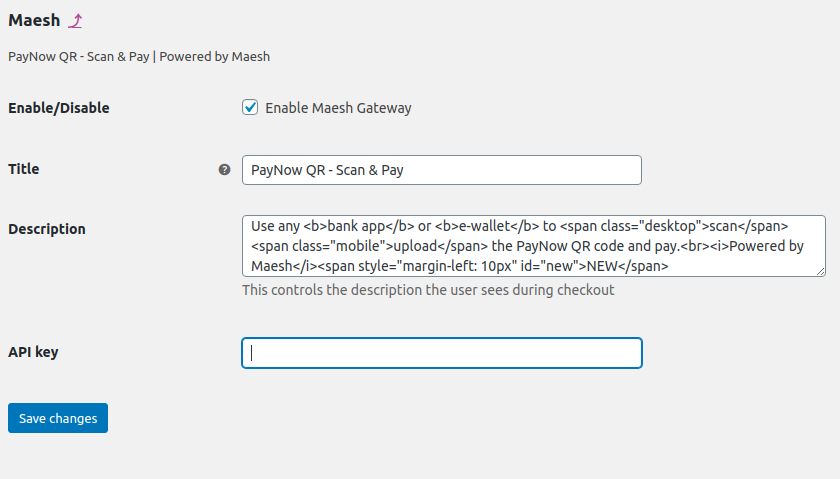
Enable the plugin and paste the API key generated by the Maesh dashboard into the API key field.
You're all set! If you encounter any problems, contact us at hello@maesh.io
4. Notes
Feel free to message us at hello@maesh.io for any questions, concerns or suggestions - we're always looking for ways to serve you better!